This page contains information about setting up and installing cvxpy for the 15-780 problem sets. For sumitting programming assignments you will use the Autolab system, which already has this system all set up, but you will probably want to install locally so that you can test code before submitting.
Download
cvxpy package: cvxpy.zip - This archive contains all the code for cvxpy, and will be the standard version that we use throughout the course. Since cvxpy is under active development, the current version on github will likely change over the course of the class, and we want to have a single standard version we will be using.
Mac Instructions
-
Although you can use any python installation for this course, we recommend you use Anaconda, which has a number of scientific and numerical libraries pre-included. You should download and install Anaconda here.
-
Download and install the Apple Developer Tools package, which will include a compiler needed for building cvxpy. You can download Xcode by searching for it on the Mac App Store (available under the Apple menu).
-
Download and expand the cvxpy package above. Using the Terminal app included in OS X, enter the expanded cvxpy-master directory, and execute the command:
$ python setup.py install
After running this command, you should be able to open a python terminal and run the cvxpy code examples.
Linux Instructions (Ubuntu or derivatives)
While python is already available on Ubuntu we need to install some additional libraries, open a terminal and type:
$ sudo apt-get install libatlas-dev libatlas-base-dev python-numpy python-scipy python-setuptools-
Download and expand the cvxpy package above. Using the terminal enter the expanded cvxpy-master directory, and execute the command:
$ python setup.py install
Windows Instructions
-
Download and run the installer for Cygwin
-
When prompted select "Install from the web"
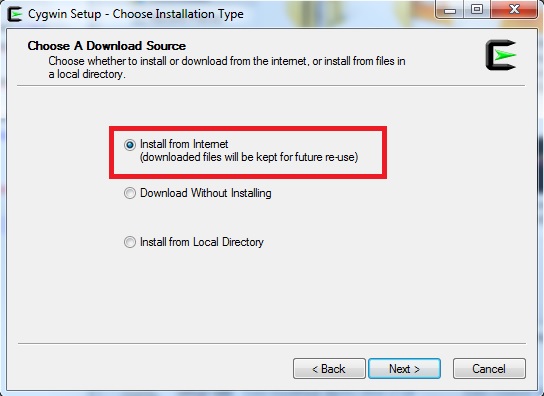
-
When asked to select the packages to install make sure the following are selected: Lapack, make, gcc (both C++ and fortran), rebase, dash, numpy
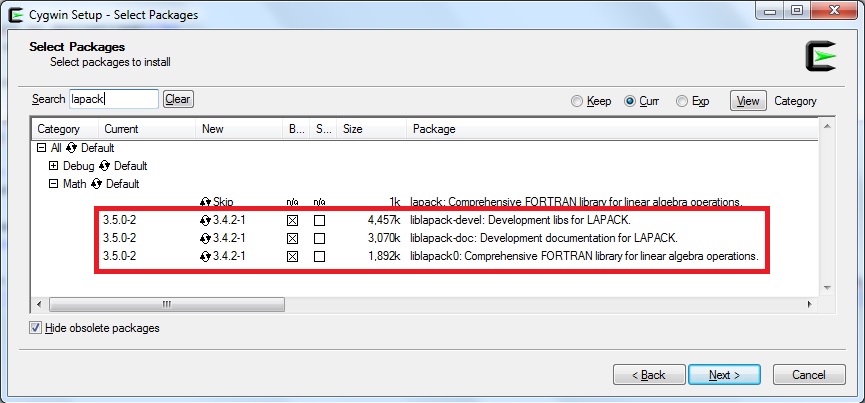
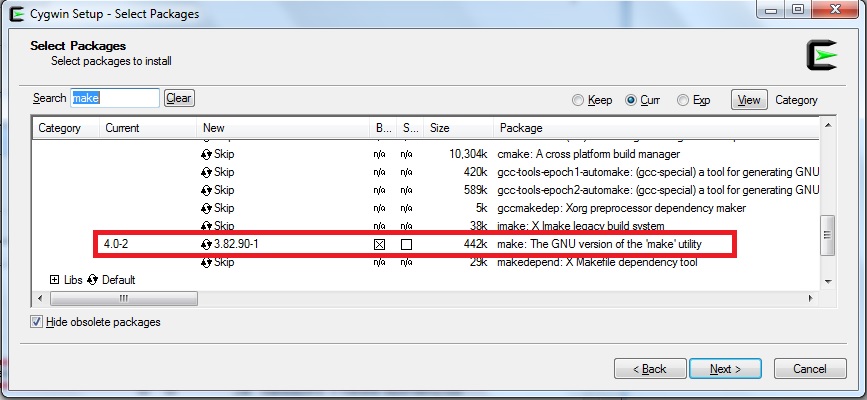
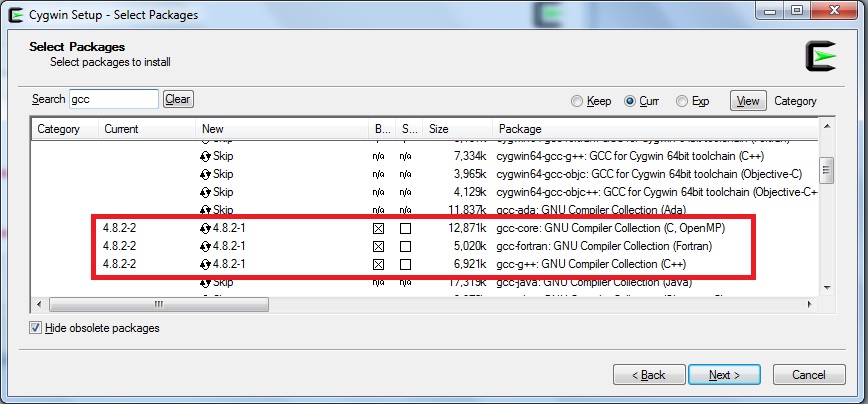

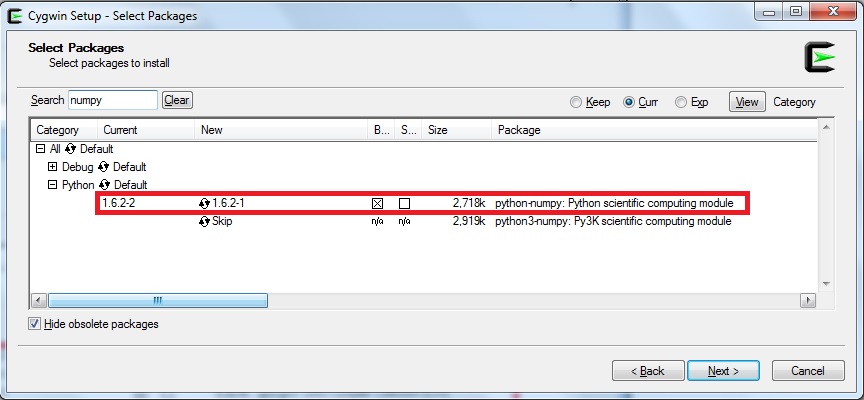
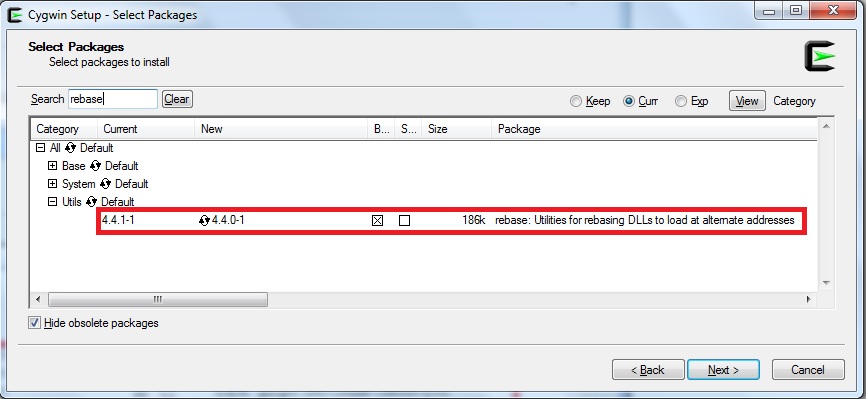
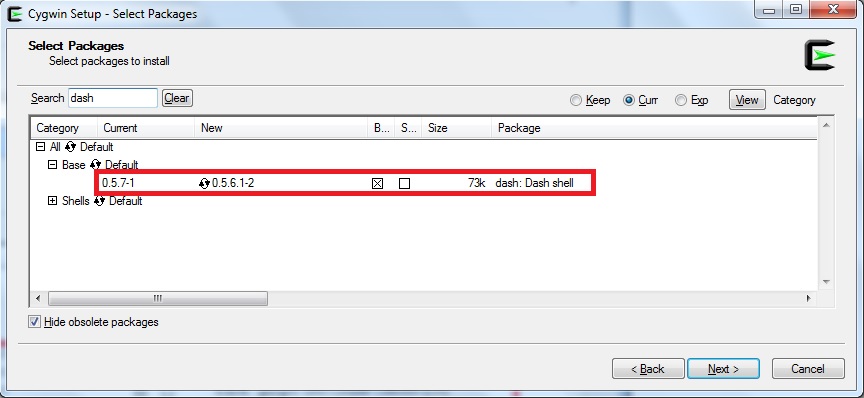
-
Download the ez_setup.py file in C:\cygwin\home\YOURUSERNAME . Open a Cygwin terminal and execute the commands:
$ python python ez_setup.py
$ easy_install -U pip
$ pip install scipy -
Download and expand the cvxpy package above in C:\cygwin\home\YOURUSERNAME. Open a Cygwin terminal, enter the expanded cvxpy-master directory, and execute the command:
$ python setup.py install If the previous command failed you need to go in C:\cygwin\bin and run the dash exectuable as admin. A terminal will open, type the following commands:
/usr/bin/rebaseall -v
exit
This should fix the problem and running$ python setup.py install
should finish the installation