This document explains how to code a Port-Based Agent with native methods in legacy C code by way of JNI technology.
This is not intended to be a JNI tutorial. If you are not familiar with JNI technology, you can take a look at the JNI Sun Tutorial page.
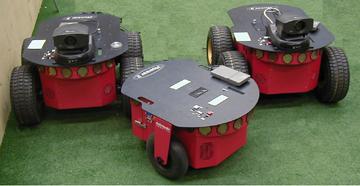
For our robotics examples we have been using the Pioneer robots. They have a Sony camera and a frame grabber installed. C code is available to control the frame grabber features and for image processing. Since C code can deal with hardware and it is faster than Java code, it does not make sense to rewrite this code in Java. We developed a Java wrapper for the C code using Java Native Interface (JNI) technology.
In this example we develop a PBA driver agent (PBD) that samples the video camera and displays it.
C code is available to initialize the frame grabber and sample the video
images in different formats.
To hide implementation representations from the PBD, we develop a
Java class JNIcamera that contains all the native method definitions and
calls. This class is instantiated in the PBD and becomes an internal
variable of the agent.
The C code is compiled as a dynamic library that gets loaded at runtime,
when the PBD is instantiated.
Java Details
Here is a section of the JNIcamera source:
public class JNIcamera {

  //Native method declarations
  native int grabSingleFrame();
  native int grabContFrame();
  native int initFrameGrabber();
  native void closeFrameGrabber();
  native int startContCapture();
  native int stopCapture();

  // last display additions to library
  native void getByteFrame(byte[] frame);
  native void getIntFrame(int[] frame);

  public JNIcamera() {
    System.loadLibrary("JNIcamera");
    System.err.println("Loading JNI library for camera-grabber");
  }

  public synchronized int JNIgrabSingleFrame() {
    return grabSingleFrame();
  }

  public synchronized int JNIgrabContFrame() {
    return grabContFrame();
  }

  public synchronized int JNIinitFrameGrabber() {
    return initFrameGrabber();
  }

  public synchronized void JNIgetByteFrame(byte[] frame) {
    getByteFrame(frame);
  }

  public synchronized void JNIgetIntFrame(int[] frame) {
    getIntFrame(frame);
  }
}
A JNIcamera.so library file has to be created and setup in the
library path for this class to load correctly.
The library is created using the header file created from
JNIcamera.class by
/*
 * Class:     adaptive_support_vision_JNIcamera
 * Method:    initFrameGrabber
 * Signature: ()I
 */
JNIEXPORT jint JNICALL Java_adaptive_support_vision_JNIcamera_initFrameGrabber (JNIEnv, jobject);

/*
 * Class:     adaptive_support_vision_JNIcamera
 * Method:    grabSingleFrame
 * Signature: ()I
 */
JNIEXPORT jint JNICALL Java_adaptive_support_vision_JNIcamera_grabSingleFrame(JNIEnv, jobject);

/*
 * Class:     adaptive_support_vision_JNIcamera
 * Method:    getIntFrame
 * Signature: ([I)V
 */
JNIEXPORT void JNICALL Java_adaptive_support_vision_JNIcamera_getIntFrame
(JNIEnv, jobject, jintArray);
Therefore, the original C code has to be wrapped around these calls to be understandable by the Java Virtual Machine.
Note: The long names are due to the fact that JNIcamera is included in our package adaptive.support.vision.
Finally, the PBD main steps look like this:
package adaptive.agents.drivers;

// Importing JNIcamera
import adaptive.support.vision.*;

// PBA core classes
import adaptive.core.*;

// other util classes ommited

public class PBACameraDisplay extends PBAgent implements Driver {

// some constants
  static final int rows = 120;
  static final int cols = 160;
  static final int resol = 16;
// frame storage variables
  byte[] frame;
  int[]  pixels;
// frame displaying variables
  CamDisplay view;
  Frame Display;
// JNI library clas interface
  static protected JNIcamera Camera;

 /**********************************************************************

   Process our internal state.

   @param

   @return
      @exception

  **********************************************************************/
  protected boolean processInternalState(Object state){

  // cut extra stuff here

  // allocating internals
      pixels = new int[rows*cols];
      frame = new byte[frame_size];
      Display = new Frame();
      view = new CamDisplay(rows,cols,resol,pixels);
      Display.add(view,BorderLayout.CENTER);
      Display.setSize(cols+4,rows+26);
      Display.show();

      // loading JNI and starting services
      Camera = new JNIcamera();
      // initializing camera-grabber
      if (0>Camera.JNIinitFrameGrabber())
        System.err.println("error: initFrameGrabber");
      if (0>Camera.JNIstartContCapture())
      System.err.println("error: startContCapture");
  }

  /**********************************************************************
  runLoop method required by Runnable Interface.

  @param

  @return

  @exception

  **********************************************************************/

  public void runLoop() {

    // refreshing frame
    Camera.JNIgrabContFrame();
    // tranlating frame to variable
    Camera.JNIgetIntFrame(pixels);
    // refresh display using new pixels
    view.refresh();
    view.repaint();
  }

}